
Phishing Notification
District Phishing Information
As you may be aware, there has been an increase in phishing emails. Anyone that uses emails, text messaging, and other forms of communication is a potential victim.
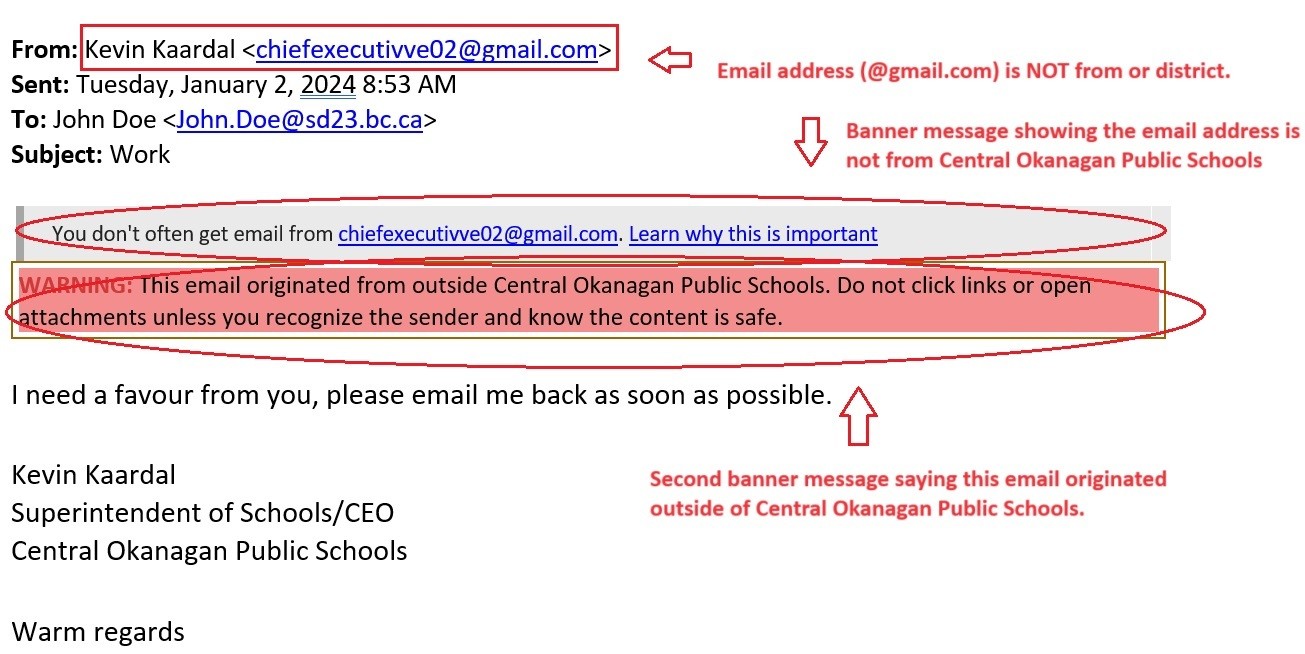
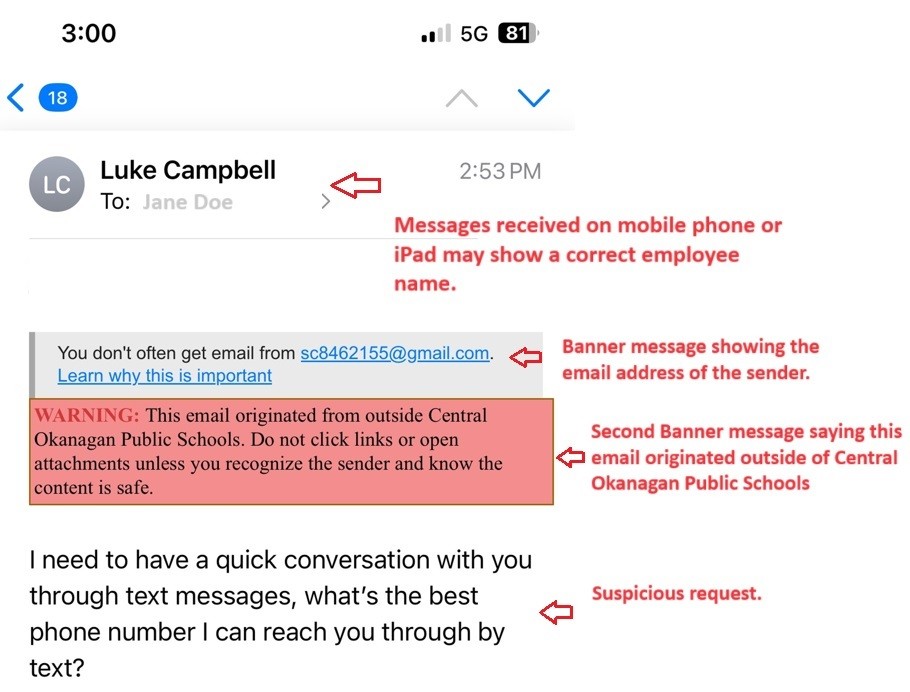
Please ensure an email (or other forms of communication) is not being spoofed and pretending to be an SD#23 employee (examples 1 and 2).
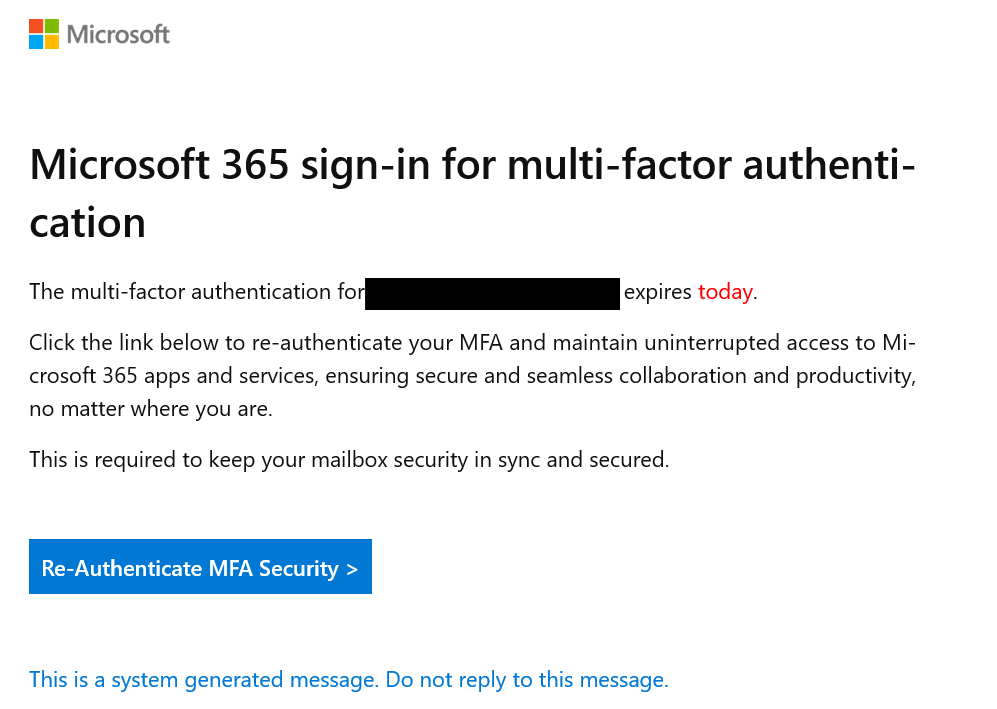
An administrator or an employee will never send you an email or text asking you for money or to purchase gift cards. You will also never be asked to “re-authenticate” your user account by entering your username and password (example 3).
Phishing is now more strategic. As you see below, they are attempting to just make contact and get a response. Once they get a response, then they will attempt to get gift cards, money, or your account credentials.
Example 1
Example 2
Example 3
This is an opportune time to review some of the common signs of a phishing email.
A reminder on some of the common signs of a phishing email:
- There is always a banner at the top of your email indicating email has come from outside Central Okanagan Public Schools.
You don’t often get email from…..”
WARNING: This email originated from outside Central Okanagan Public Schools. Do not click links or open attachments unless you recognize the sender and know the content is safe.”
Please see below.

2. You don't recognize the sender's email address or it does not look genuine (ex. zz43@edkomb.com or otrs@valuepoint.in) or unlikely to receive an email from the sender.
3. The email asks you to confirm personal information.
4. The email asks you for your personal cell number.
5. The email asks for money or gift cards by email.
6. The email may be poorly written and/or have lots of generic information (ex. signature is something generic like "mymail")
7. There is a suspicious or unfamiliar attachment
8. If you hover over a link in the email, the URL looks suspicious (ex. www.entwurf-laden.de/16572)
9. The message is designed to make you panic (ex. your account will be deleted if you don't respond or will be disabled)
10. If you ever do click on a link in a phishing scam, you should be sure to change your current password (that goes with any other sites/applications you might access that use that password) This is why we highly recommend you do not use the same password across multiple sites.
Please take the time to look at our Learning Technology Department Website to learn more about Phishing. https://lts.sd23.bc.ca/phishing.
Should you have any questions, please contact our Help Desk (help.desk@sd23.bc.ca / 250-469-6450).